I ship improvements to Pickadoodl regularly. Here's the latest.
Packing reminders, a delivery-date sort, and a Shopify Admin status block
v2026.09.12 · September 30, 2026
- Order check rules — set up a tag or SKU rule in Settings → Pick list, and Pickadoodl shows a reminder banner to whoever’s packing that order, like “include the care card” for a tag or “fragile — double-box” for a SKU. Dismissible per order, off unless you add one.
- Delivery-date sort — if you use a pre-order or delivery-date app, tell Pickadoodl the order attribute it writes to in Settings → Pick list, and Review Orders can show and sort by delivery date instead of order date.
- Order-locking heads-up — while packing, you’ll now see a heads-up if someone else on your team pulled up the same order in the last minute, so two people don’t end up working it at once.
- Pickadoodl status block — a new block on the Shopify order page itself, showing which batch an order’s in and its stage, with a link straight into Pickadoodl or “Add to a new batch” if it isn’t yet. Add it once from an order’s Blocks section (+ Block → Pickadoodl status → pin the icon) and it shows on every order after that.
Staff PINs, location-scan mode, a quantity shortcut, and a Returns workflow
v2026.09.11 · September 26, 2026
- Staff PINs — staff can set a PIN to confirm who they are when picking or packing on a shared device, handy when everyone shares one tablet or workstation. Set it once in Settings → Team; it just confirms identity, it doesn’t restrict what someone can do in the app.
- Location-scan mode — turn on “Require location scan” in Settings → Pick list to make pickers scan the bin location before scanning items, catching a wrong-bin pick before it happens.
- Quantity shortcut — turn on a quantity shortcut in Settings so pickers can type a count instead of scanning every unit one at a time, once they’ve confirmed the location and scanned at least one.
- Scan compliance in Analytics — see scan compliance and mis-scan rate per person, alongside the existing team performance numbers.
- Returns — a new Returns page in the nav for receiving items back: look up what’s coming back by scanning or searching, mark what should be restocked, and add a note per return.
- When you flag a short pick while picking, you can now notify customer service by email right from that flag — set the recipient in Settings → Proactive alerts.
Shareable picker links, camera scanning, and a restock export
v2026.09.10 · September 25, 2026
- Shareable picker links — share a link to a batch so someone can pick it from their own phone or tablet, no Shopify Admin login needed. Create and revoke links right from the Picking screen; each one only works for that one batch.
- Camera scanning — scan barcodes with your phone's camera right from the Pick workspace, no separate scanner required. Manual typing and handheld scanners still work exactly as before.
- Restock list — the Low stock report now has a "Restock list" combining everything below your threshold with anything flagged "Short pick" while picking in the last 30 days, with CSV/XLSX export.
- Pick lists now always show current available stock next to every item, not just the ones below your low-stock threshold.
- Fixed: printing packing slips or a pick list now shows a clear message if something goes wrong, instead of silently doing nothing.
Proactive alerts for stalled or flagged batches
v2026.09.9 · September 25, 2026
- Proactive alerts — turn on “Email me about stalled or flagged batches” in Settings → Proactive alerts to get a heads-up email when a batch has been sitting in progress for a few hours with no activity, or has an unresolved flag or exception. Off by default, opt in any time.
- Optionally send those alerts to a different address than your account email — handy for a shared or ops inbox.
Low-stock report location breakdown, more date presets, and reliability fixes
v2026.09.8 · September 24, 2026
- Low-stock report by location — stores with more than one location now see on-hand quantity broken out per location, plus a direct link to the batch an item’s already part of, if any.
- More date presets — 14, 21, and 30-day quick-select options added to the Create batch date filter.
- Fixed: the low-stock report could occasionally list an item that was actually above your threshold.
- Fixed: Create batch and adding orders to an existing batch could fail to load orders from Shopify on busy stores or wide date ranges — both now retry automatically instead of erroring out.
- Fixed: a saved date-range preset with custom start/end dates wasn’t restoring those dates when applied.
- Fixed: searching the Batches dashboard could return an error instead of results.
A real free plan, live usage tracking, and automatic pattern detection
v2026.09.7 · September 23, 2026
- A genuine free plan — up to 75 orders/month, full features, no trial required. Paid plans start at $10.99/month (1,000 orders/month), with a $19.99/month unlimited tier.
- Usage tracking — a dashboard indicator shows how many orders you've used this month against your plan's limit, with an upgrade prompt once you're close.
- Automatic pattern detection in Analytics — a bin location generating an outsized share of damaged-item flags, a SKU with recurring short-picks, or a person whose exception rate is well above the shop average, surfaced for you automatically.
Bin-sorted picking, a low-stock flag, team roles, and a new Help page
v2026.09.6 · September 22, 2026
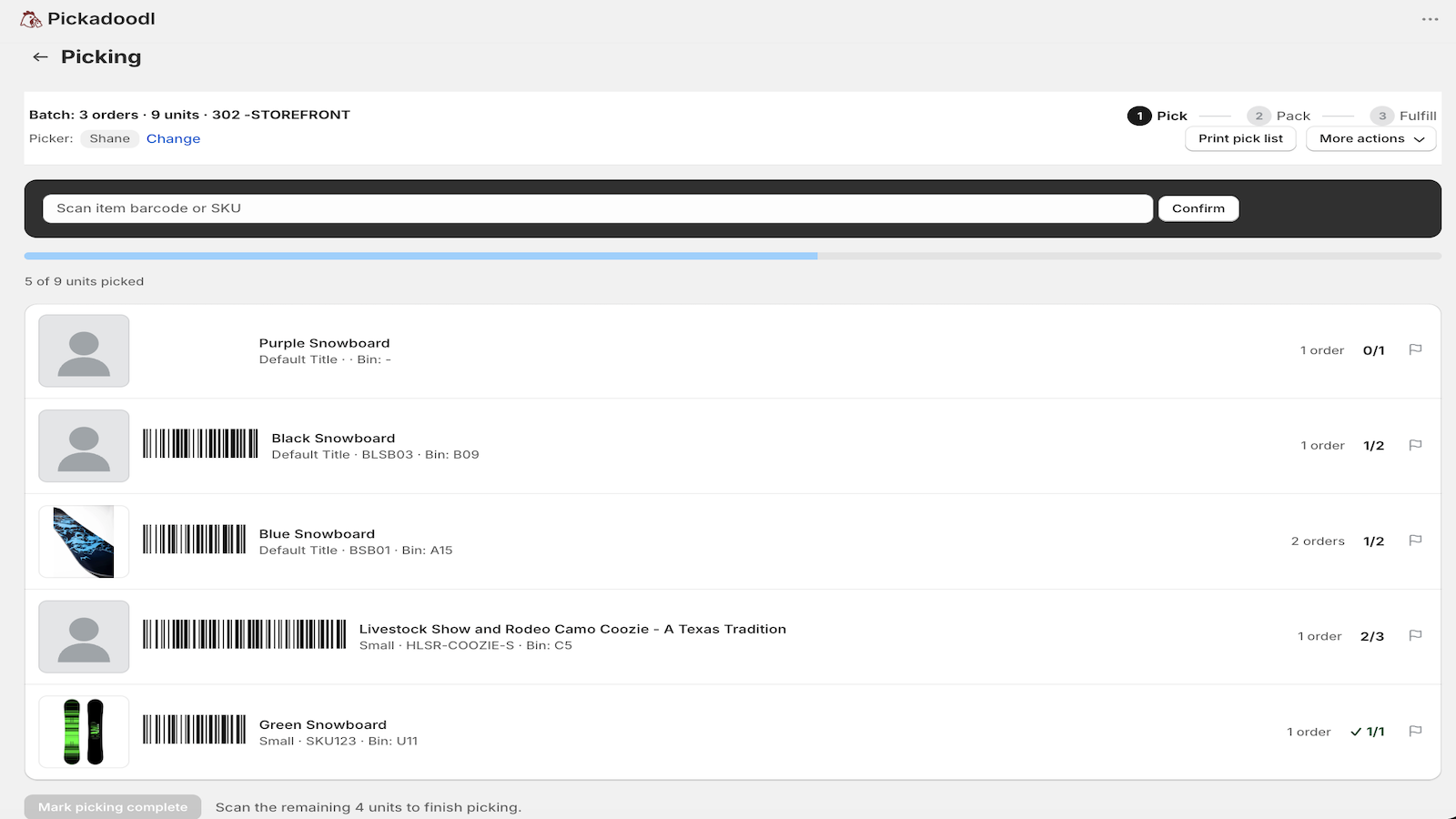
- Bin-sorted picking, on screen — the scanning list now sorts by bin location first, then SKU, matching what the printed pick list already did.
- Low-stock flag — set a threshold in Settings, and any item at or below it gets a "Low stock" badge right on the pick list.
- Team & roles — add your pickers and packers once in Settings, and "Change" offers a dropdown of your team instead of typing a name each time — with a fallback for one-off help from anyone not on the roster.
- Team performance in Analytics — batches, orders, and average time, broken down per person for picking and packing.
- New Help page — a full walkthrough of the workflow, right in the nav: getting started, picking, packing & fulfilling, team & roles, a settings reference, and troubleshooting/FAQ.
- Export XLSX — the pick list's "More actions" menu can now export a real spreadsheet (column widths set, autofilter on), alongside the existing CSV export.
Bundles, exception handling, analytics, and packing-slip options
v2026.09.5 · September 21, 2026
- Bundle & kit support — bundle products now explode into their individual components right on the pick list, so nothing inside a bundle gets missed. Packing slips still show the bundle itself, the way your customer ordered it.
- Exception handling — flag an item or order with a reason (short pick, damaged, backorder, skip) during picking or packing. Flagged orders are left out of Fulfill by default, with a one-click "Fulfill anyway" once you've sorted them out.
- Analytics — a new page with pick/pack time, exceptions, orders per batch, and a clean-batch rate, filterable by date range.
- More packing-slip control — choose what shows on your packing slips (product images, billing address, signature section), plus a compact layout option.
- Duplicate-batch protection — Pickadoodl now blocks starting a batch that includes orders already sitting in another open batch, so the same order can't get picked twice.
- Fixed: the "Send to Pickadoodl" bulk action in Shopify admin now correctly opens Create batch with your selected orders, instead of landing on the dashboard.
The new Batches workflow, plus review, reprint, and tagging after the fact
v2026.09.4 · September 20, 2026
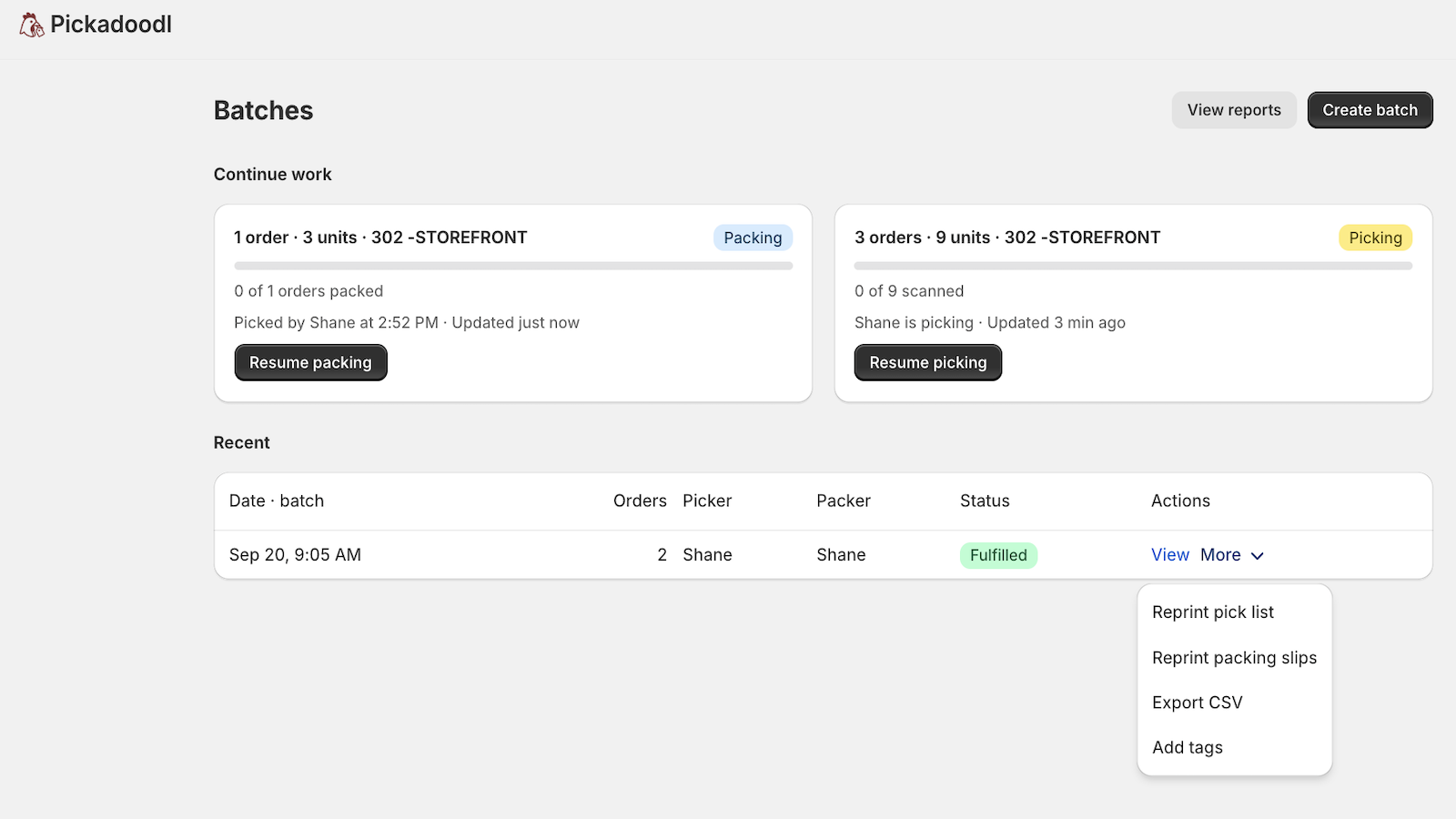
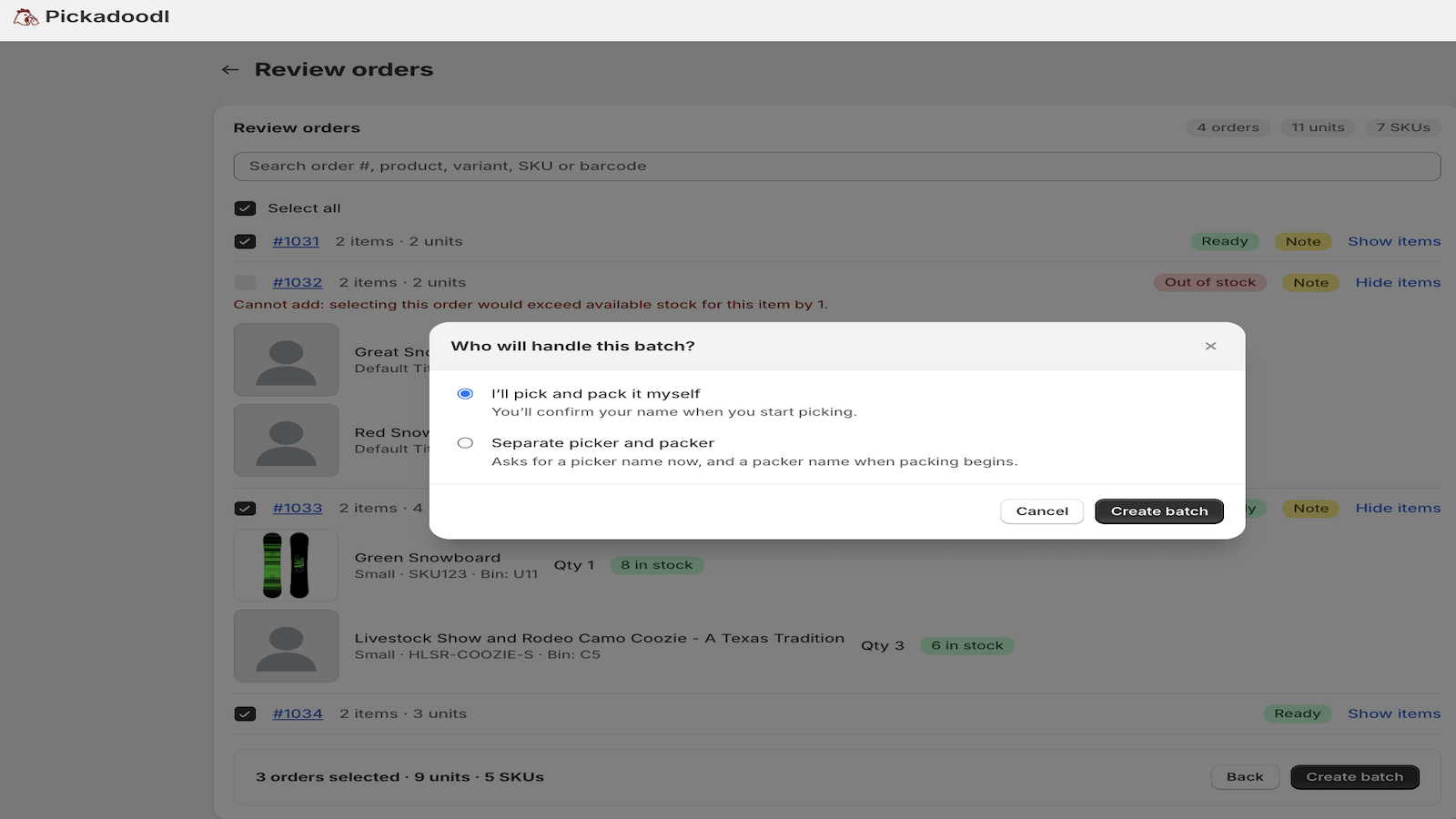
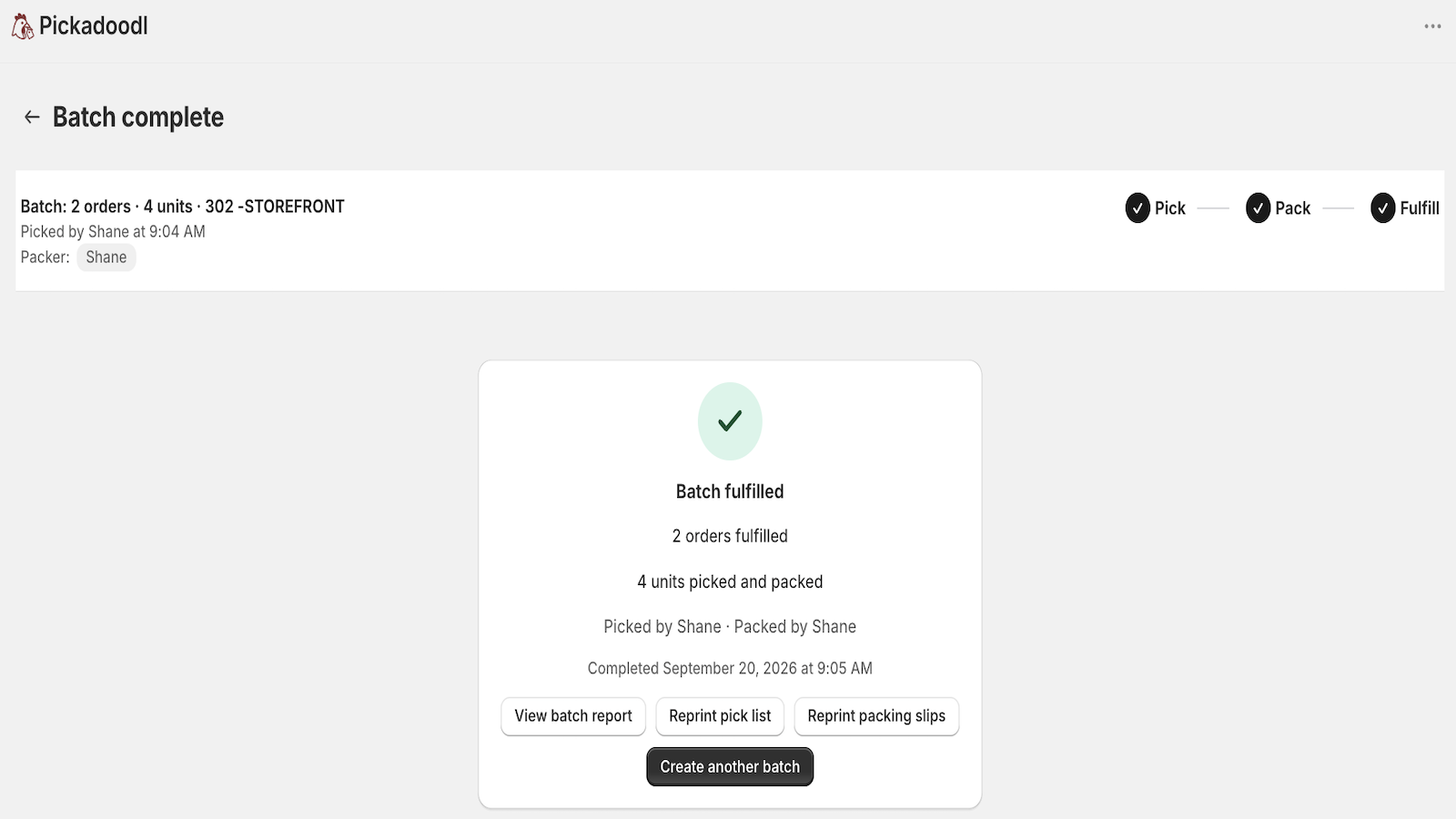
- Orders now become a Batch your team works through in stages — pick, pack, fulfill — with a header that always shows exactly where things stand.
- Review any stage after the fact — once a stage is done, click it in that header to see what happened (who picked what, notes, flags) without changing anything, even after the batch is fulfilled.
- Reprint anytime — reprint a pick list from Reports or a batch's summary screen, not just while picking.
- Tag after the fact — add tags to a batch's orders from Reports, even after it's fulfilled.
- Reports and the dashboard's recent batches list now share the same actions — reprint, export, tags — tidied into one "More" menu.
- Pick lists print in a cleaner layout — barcodes, bin column, and the orders each item belongs to.
- What's new now lives in the nav, under Settings, so you can catch up anytime.
Packer report, faster packing, and notes to packers
v2026.09.3 · September 18, 2026
- Packer report — see what's been picked, packed, and fulfilled for every batch, with who did it and when.
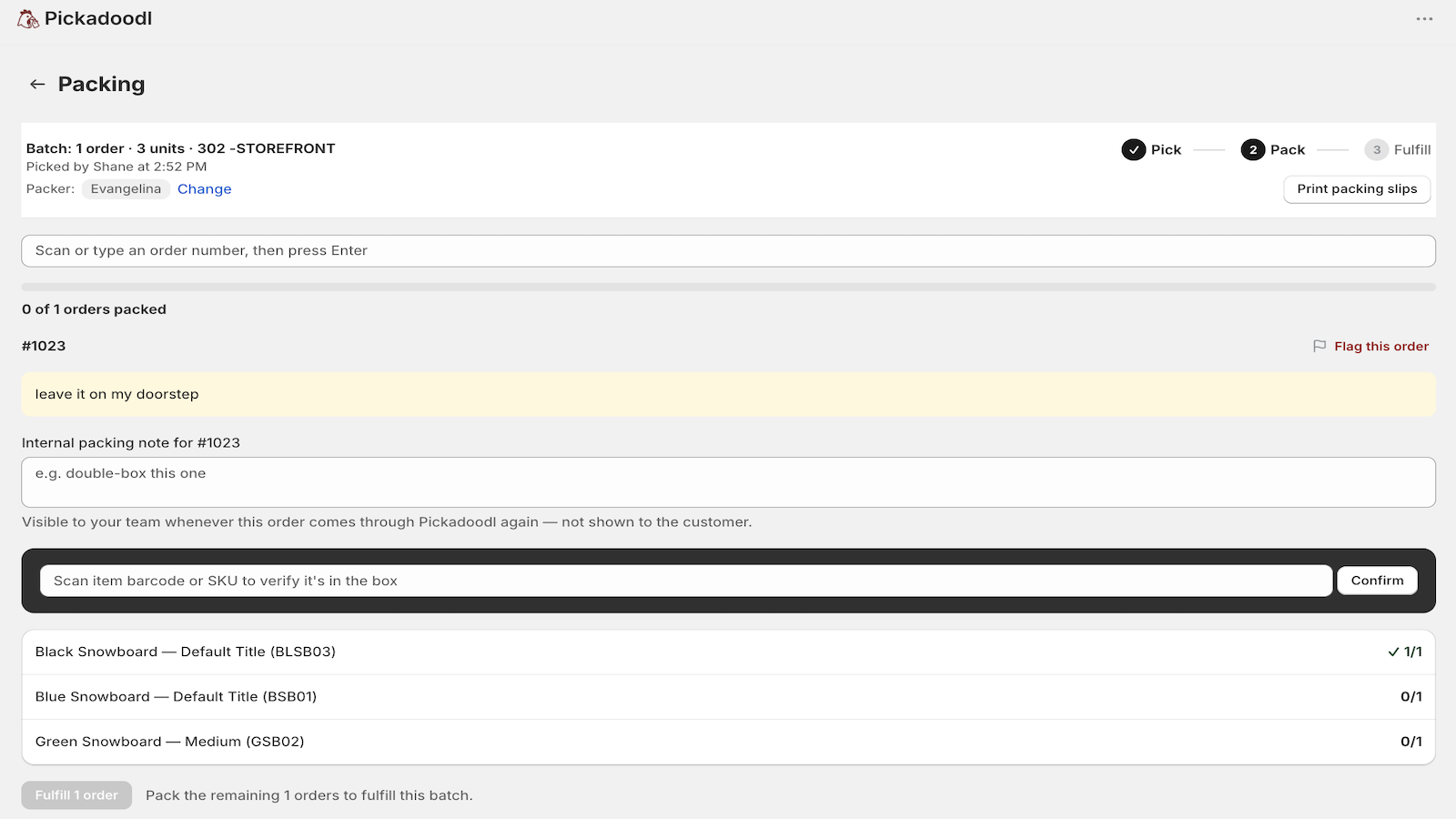
- Faster packing — scan or search to jump straight to an order, and Pickadoodl auto-advances to the next unpacked order (with the scan field refocused) as soon as one's done.
- Notes to packers — leave notes for your team on any order, like "double-box this one." They show up automatically every time that order comes through Pickadoodl, with a save confirmation so you know it stuck.
- Multi-location fulfillment fix — marking orders fulfilled now works correctly when an order's items ship from more than one location, instead of failing with a location-mismatch error.
Fulfill from Pickadoodl, resumable batches, and fixes
v2026.09.2 · September 18, 2026
- Fulfill from Pickadoodl — mark orders fulfilled right after packing, no more switching to Shopify admin to close them out.
- Resumable batches — picking and packing progress now saves automatically; if you get pulled away mid-batch, pick up exactly where you left off.
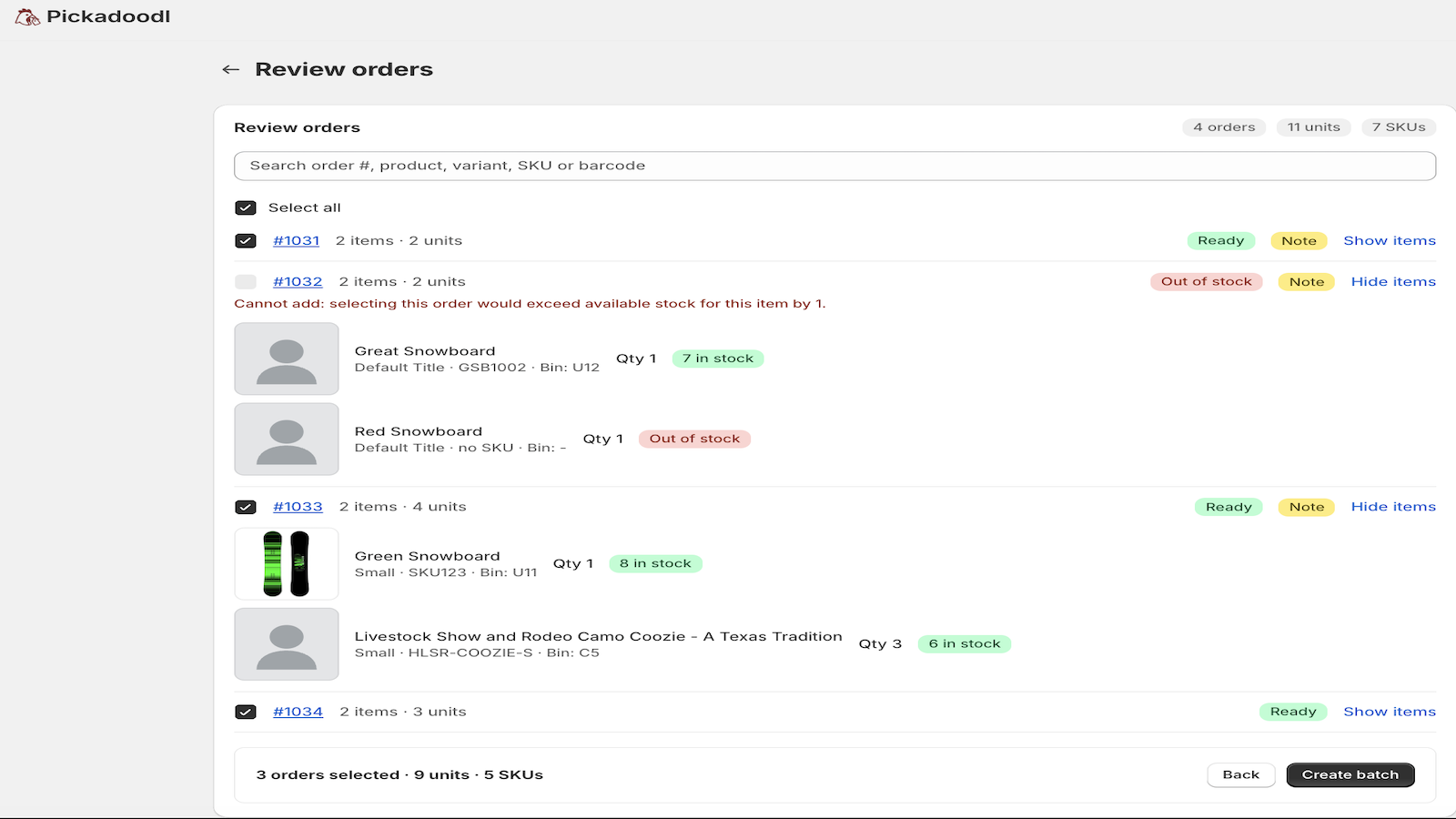
- Smarter availability checks — selecting orders no longer blocks items that are actually in stock, since availability is now checked against just what you've selected.
- Team-wide saved presets — your saved filter presets are now shared across your whole team, not stuck on one browser.
- Bin sorting fix — bin numbers now sort in the right order (Bin 9 before Bin 10, not after).
Order notes, custom packing slips, and pack verification
v2026.09 · September 17, 2026
- Order notes & gift messages — flagged right on the pick list with a Notes badge, and printed on the packing slip so nothing gets missed.
- Custom packing slips — add your own logo and a personalized thank-you message, set once in Settings.
- Verify packing — a new scan-to-box step per order, so you can confirm what shipped, not just what was picked.
- Verify picking — “Scan to confirm” is now “Verify picking,” pairing clearly with the new Verify packing step.
- Pick-list history, saved to your account — reprint any past pick list from any device; it's no longer tied to one browser and survives clearing your cache.
A faster, smarter Pickadoodl
v2026.07 · July 28, 2026
- Rebuilt on Shopify's native design system — a cleaner look, with dark mode support.
- Skip the landing page — active subscribers go straight to filtering.
- Stock awareness — out-of-stock and short items are flagged and can't be picked by mistake.
- Scan to confirm — scan barcodes or SKUs to verify each item as you pick, with live progress.
- Summary totals — orders, units, and SKUs at a glance.
- Search & smart sorting — search the order list; pick lists sort by bin by default.
- Saved filter presets — reuse your common runs in one click.
- Pick-list history — reprint any past pick list.
- CSV export — hand lists to a 3PL or import into a WMS.
- Bin field in Settings — set it once and it appears on every pick list, including from “Send to Pickadoodl.”
- Reliability & security — resilient Shopify API handling with retries, safer bulk tagging, and hardened packing slips.