Threshold alerts
Set a min/max once per product and location. Get notified the moment a store drops below it.

Stockadoodl is the Shopify replenishment app for merchants running 2+ locations. Set a threshold once, and get alerted with a transfer already pre-filled — reviewable, editable, and ready for your team to pick accurately. No more spreadsheets or manual cross-referencing.
Deciding what each store needs and turning it into a transfer shouldn't eat up your afternoon. Stockadoodl watches your stock levels, tells you when a store is running low, and hands you a transfer with a suggested quantity already filled in — so you're reviewing a recommendation, not building one from scratch.
Set a min/max once per product and location. Get notified the moment a store drops below it.
Every alert arrives with a quantity already suggested, capped at what's on hand at the source.
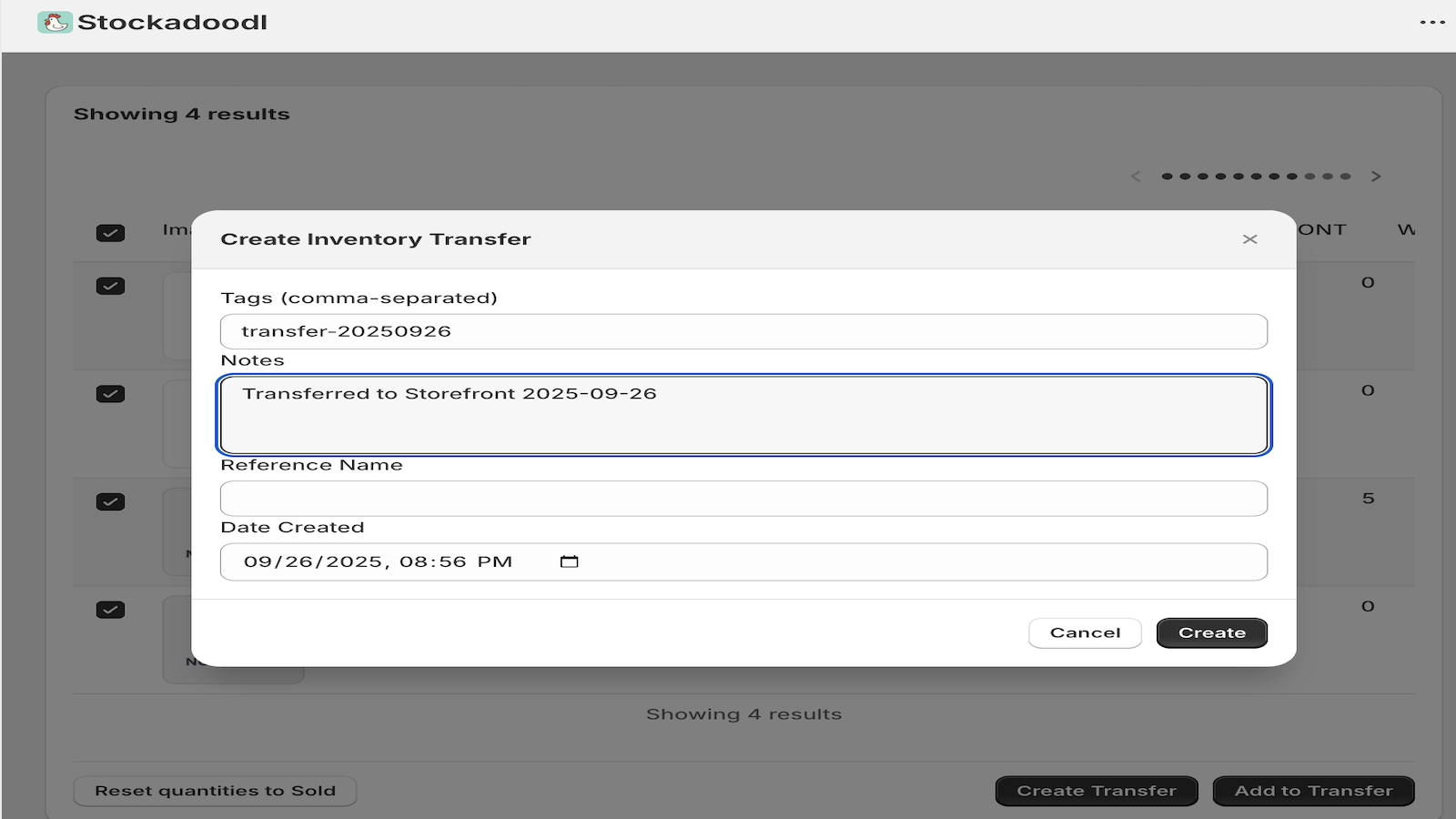
Creates an actual Shopify inventory transfer — not just an alert or a report.
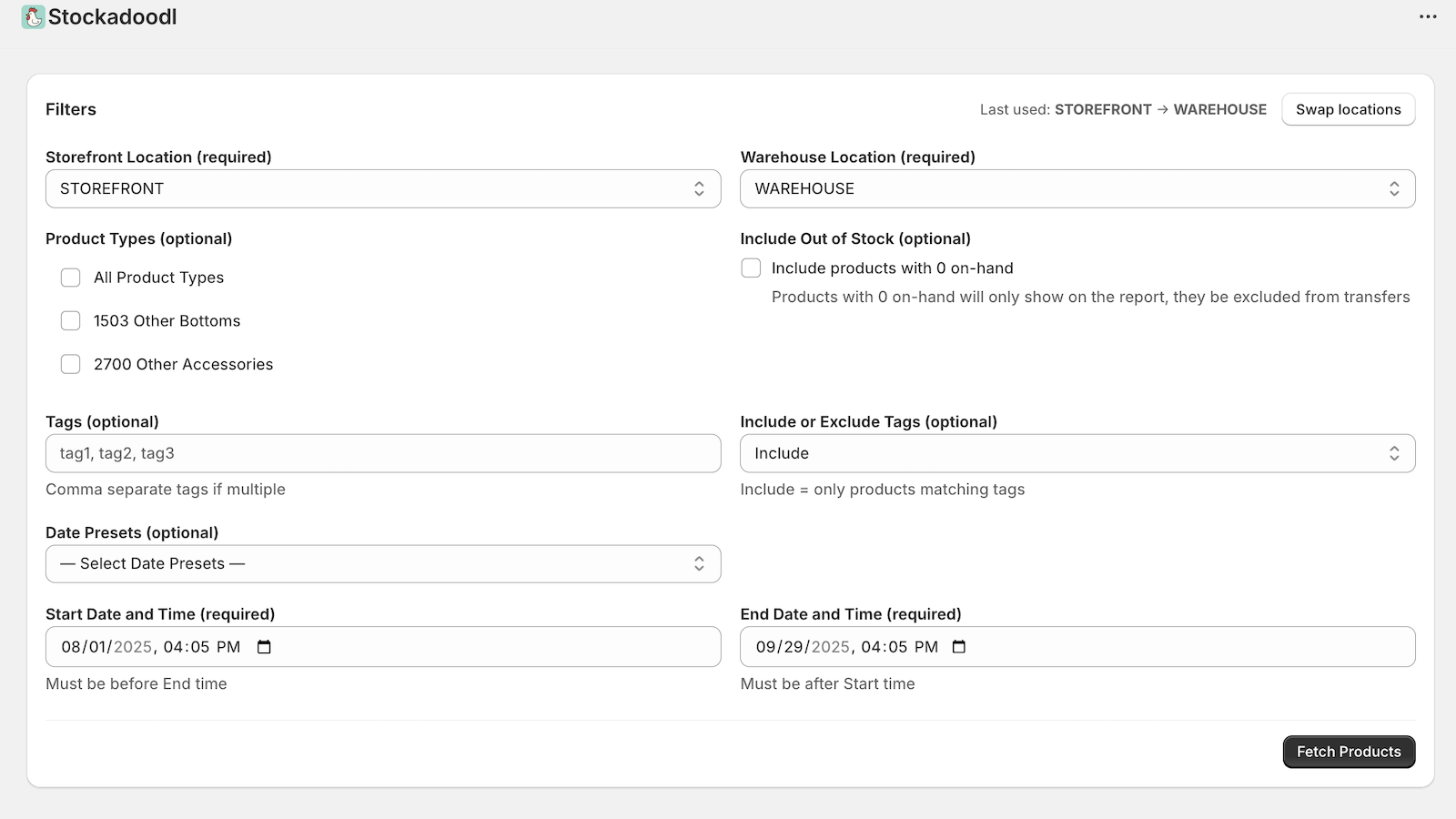
Filter by location, date, product type, tags, or stock status to build a transfer on demand, anytime.
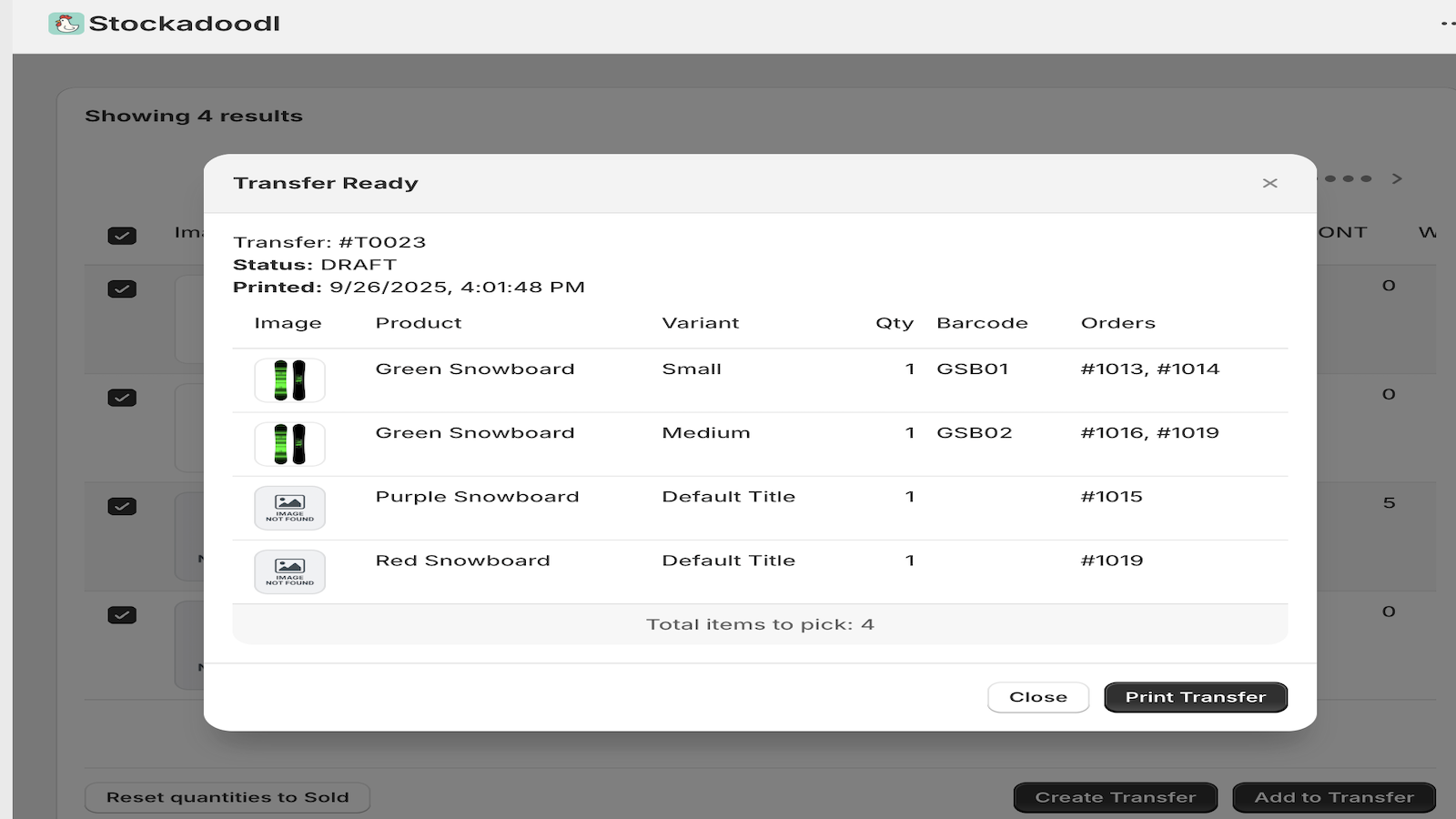
Generate clean transfer documents and pick lists for your team.
Recommending a transfer is only half the job — Pro helps your team actually execute it accurately, without needing their own Shopify login.
Suggested quantities based on recent sell-through pace, not just a static threshold.
A guided pick list your warehouse or store staff can scan through on a phone or tablet.
Send a link to staff for one transfer at a time — no Shopify Admin access required.
See who picked what, and flag items that didn't match before the transfer ships.
Both plans create real Shopify transfers with suggested quantities. Pro adds sales-velocity suggestions and the guided picking workflow above.
7-day free trial
7-day free trial
Review a suggested transfer instead of assembling one from reports and spreadsheets.
Get alerted before a store actually runs out, not after.
Pro's guided picking keeps what ships in sync with what was actually picked.
Unlimited products, variants, and transfers on every plan.
Just install and go — Stockadoodl connects to your Shopify store instantly and works with your existing locations and inventory workflow.
Yes — Stockadoodl is built specifically for multi-location merchants. Filter by source and destination location, see low stock across all your locations, and create transfers between any two.
Set a min/max quantity once per product and location. When a store's stock drops below the minimum, Stockadoodl alerts you with a transfer already pre-filled with a suggested quantity — you still review and create it yourself.
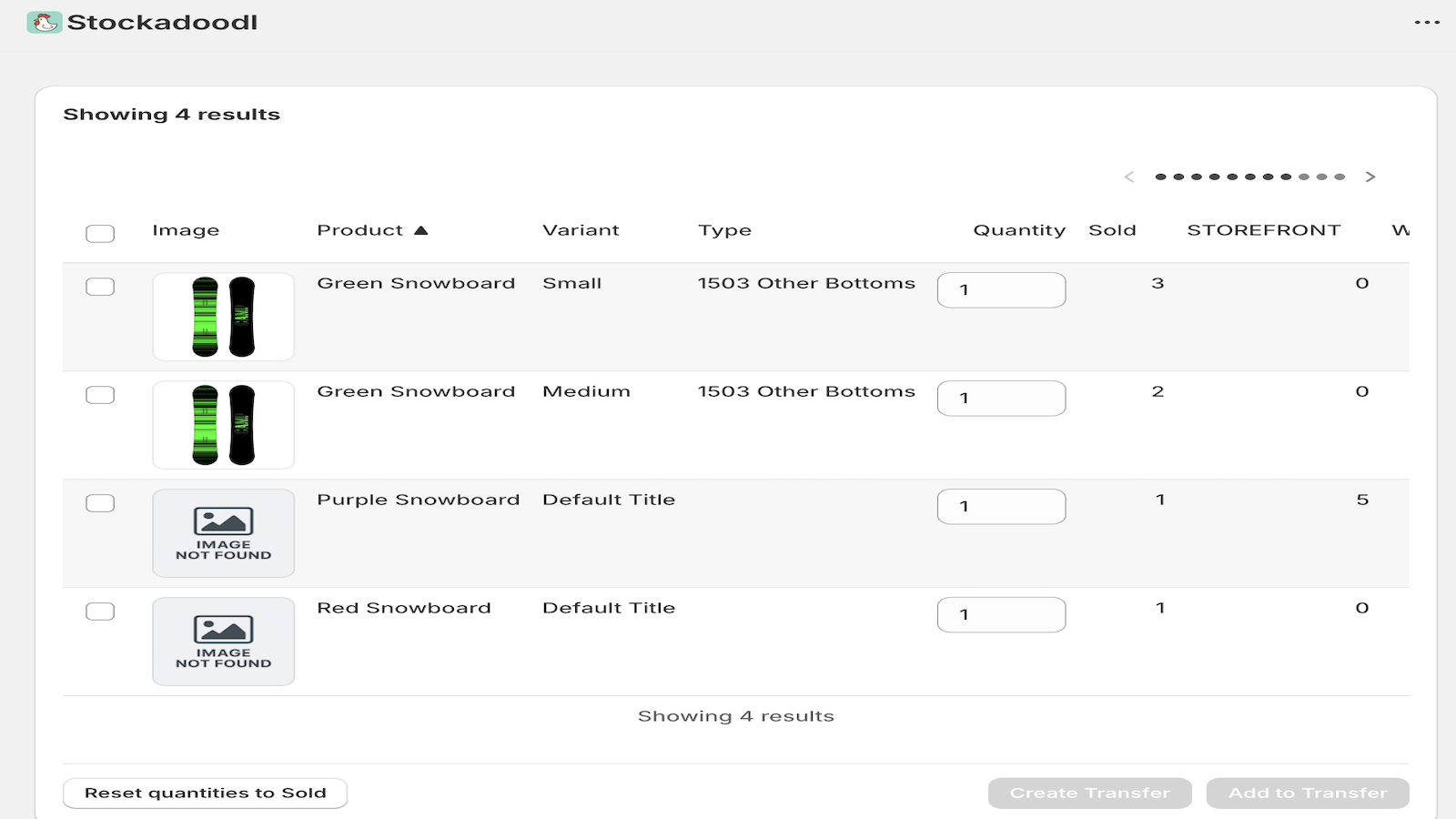
Let a threshold alert start it for you, or build one on demand: select your locations and filters, fetch products running low, review the suggested quantities, then create a transfer in one click.
Yes — select your products and quantities, then choose Add to Transfer to append to an existing Shopify inventory transfer.
On Pro, yes — generate a guided, scan-based pick list and share it with staff via a link that doesn't need its own Shopify Admin login. Pick progress and any flagged exceptions are attributed to whoever picked them.
Yes — generate clean, printable transfer documents your team can use on the floor or in the warehouse.
Shopify's own transfer tools have grown — native transfers now support partial receiving and barcode scanning. Stockadoodl's role is the layer on top: it decides what needs to move and how much based on your thresholds and sales, hands you a Shopify transfer already built from that recommendation, and (on Pro) gives your team a guided way to pick it — rather than you identifying the need and assembling the transfer by hand first.
Set your thresholds, review the first suggestion, and see what your team thinks.
Plans from $9.99/month · Free trial available